Enkl Sound
Design proposal: a companion app that finds the speaker and tunes its sound.
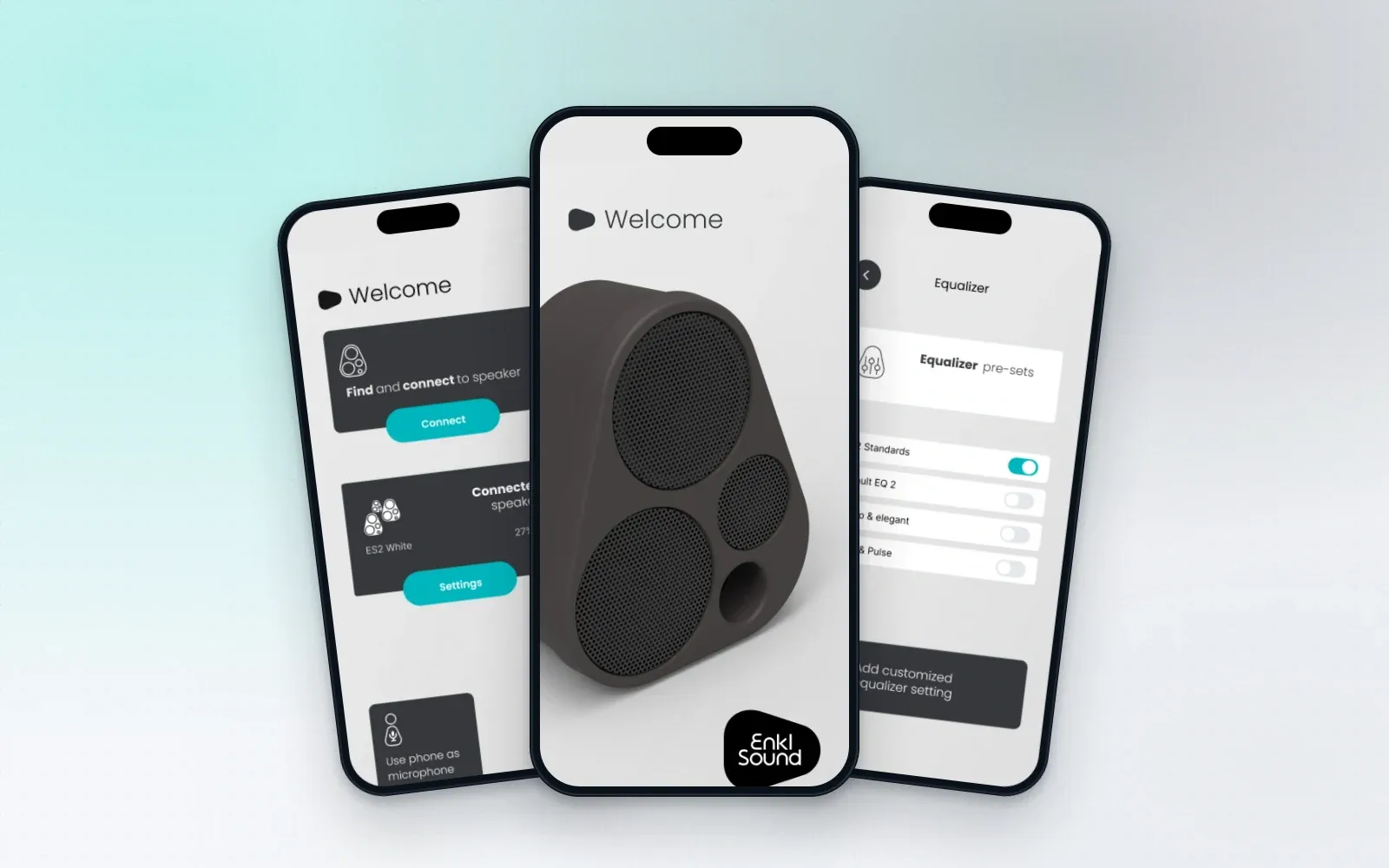
Enkl Sound is a Danish Bluetooth speaker brand from Copenhagen. bon.do made a design proposal for its companion app: find and connect to a speaker, see the connected speakers and their battery, pick an equalizer preset or make your own, and use the phone as a microphone. It was not built as shown.
- Client
- Enkl Sound
- Sector
- Consumer audio
- Platforms
- Mobile app (design)
- Our role
- Design proposal
What was the challenge?
The brand’s promise is simple sound. The app should keep that promise: the speaker found in one step, and the settings people actually change within reach, without a menu of technical options.
- Product
- Speaker companion app
- Status
- Design proposal, not built as shown
What did bon.do build for Enkl Sound?
We designed the app around a few large cards on a quiet grey background: connect, the connected speakers with battery level, and the phone as microphone. One accent colour marks the action on each card. The equalizer is a short list of presets with a card to add your own.
Connect
Find nearby speakers over Bluetooth and connect with one switch.
Speakers
The connected speakers with their name and battery level, and their settings one tap away.
Sound
Equalizer presets as simple switches, with a card to add a custom setting.
Technology
- Figma
How did the project run?
- 01Welcome
The speaker first
A welcome screen with the speaker itself and the brand mark.
- 02Connect
Find it nearby
A list of found Bluetooth devices with a switch for each.
- 03Use
Everything on one screen
Connected speakers, battery and settings on the home screen.
- 04Tune
Presets or your own
Pick an equalizer preset or add a custom one.
Inside the product
Home: connect, connected speakers and the phone as microphone. Design proposal, example data. Connecting over Bluetooth. Design proposal, example data. Equalizer presets and a custom setting. Design proposal, example data.
What was the result?
An app design covering welcome, connection, connected speakers and the equalizer. It is a design proposal and has not been built as shown.
Your productcould be next.
Tell us where you are: an idea, a prototype, or a platform that needs a new team, and we'll show you the fastest safe path forward.